
TypeScript
os-vps
A browser-based graphical shell & control plane for a Linux server you own — terminal, files, metrics & AI in one mobile-first pane.
★ 42
⑂ 6 30 Jul 2026
A browser-based graphical shell & control plane for a Linux server you own — terminal, files, metrics & AI in one mobile-first pane.
A browser-based graphical shell & control plane for a Linux server you own — terminal, files, metrics & AI in one mobile-first pane.
Your Linux server, finally usable from your phone.
Open a real terminal, manage files, inspect system health, and use AI from one private browser workspace.
Live instance · Watch Demo · Install









Manef Shell OS (MSO in the UI) is an open-source, mobile-friendly visual shell for a Linux server you own. It brings a real terminal, file manager, live system metrics, and a BYOK AI assistant into one private browser workspace without running a full remote desktop.
MSO is Public Alpha / Developer Preview software. It runs on top of Linux as a normal non-root Node process. It is not an operating system, Linux distribution, desktop environment, VPS provider, or production-grade security platform.
For a real deployment, put MSO behind Tailscale, a VPN, or a TLS reverse proxy with tight access control. Do not expose the raw app port to the public internet.
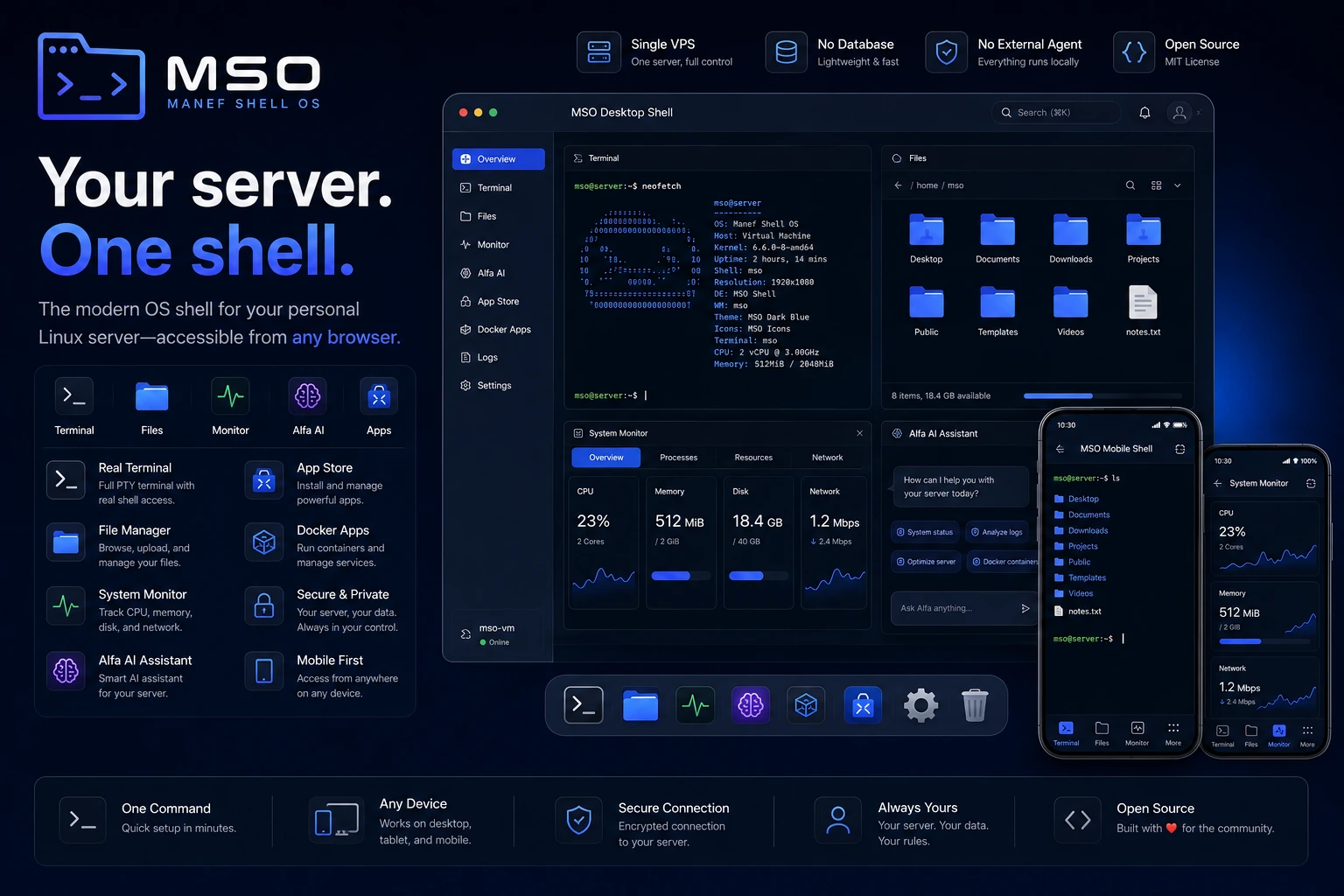
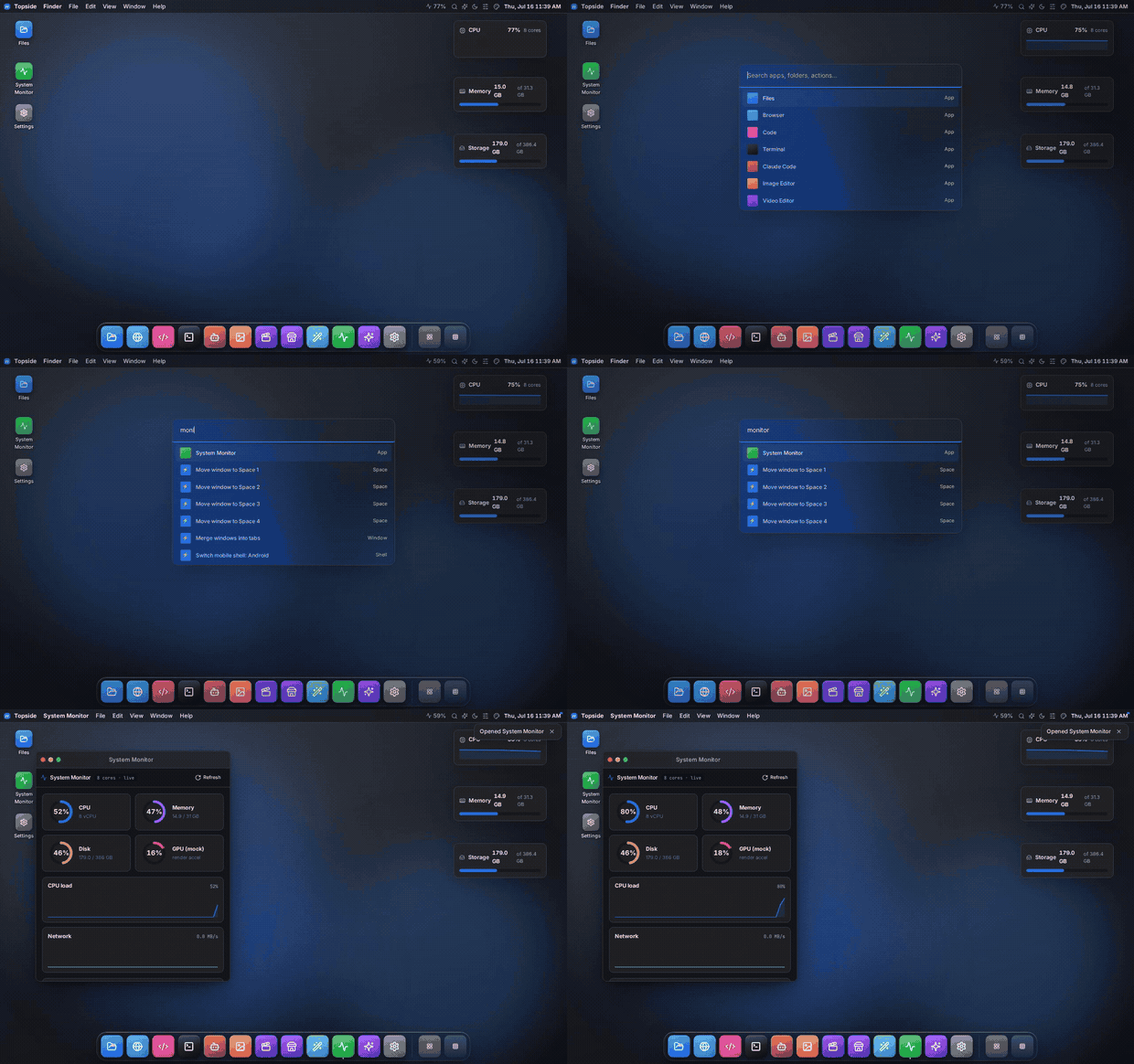
Control — terminal, files, and system monitor for the server you own.
vim, top, and ssh.Work — code/text editor, browser, and media tools in the same workspace.
Extend — Alfa AI, modular slices, and custom apps.
frontend/slices/<slug>/.Fix a server issue from your phone
Check system health, open a real terminal, inspect logs, and restart a service without opening a laptop.
Manage project files visually
Browse, upload, rename, preview, and edit files without remembering every shell command.
Work with your server in one workspace
Move between terminal, files, metrics, browser, and AI without switching between several admin tools.
The public demo should be deployed from a separate checkout with:
NEXT_PUBLIC_OS_DEMO=1 pnpm build && pnpm start
Demo mode skips real login, forces mock data, blocks live host API access, and shows a permanent demo banner. Use it for Product Hunt traffic. A real owner deployment should stay behind Tailscale/VPN or a protected HTTPS proxy.
One command on your Linux server installs prerequisites, builds MSO, generates local credentials, and sets up the os-vps.service systemd unit:
curl -fsSL https://raw.githubusercontent.com/rahmanef63/os-vps/main/scripts/install.sh | bash
Run it as your normal server user, not root. The installer prints the first-login password once and explains how to approve your first browser device.
Useful options:
curl -fsSL https://raw.githubusercontent.com/rahmanef63/os-vps/main/scripts/install.sh | bash -s -- --port 4005
curl -fsSL https://raw.githubusercontent.com/rahmanef63/os-vps/main/scripts/install.sh | bash -s -- --no-service
curl -fsSL https://raw.githubusercontent.com/rahmanef63/os-vps/main/scripts/install.sh | bash -s -- --uninstall
Full production setup, TLS/VPN notes, filesystem roots, updates, and rollback steps live in docs/INSTALL.md.
An authenticated MSO session can read allowed files and run commands as the user that owns the process. Treat it like SSH in a browser.
OS_SESSION_SECRET and a strong OS_LOGIN_PASSWORD.OS_FS_WRITE_ROOTS..env.local, API keys, or data from ~/.os-vps.hermes.os.example.com), because a framed dashboard needs allow-same-origin and would otherwise be same-origin with the cockpit and able to call the host API with your session.fs.list, fs.read, fs.search, fs.usage, sys.stats, sys.processes, apps.list, app.open, skills.list, skills.read, memory.remember, memory.forget); six park an Approve/Deny card showing the exact call (fs.write, fs.mkdir, fs.move, fs.copy, fs.delete, exec.run).exec.run. Read the command on the card, not Alfa's summary of it.exec.run is not sandboxed. Its cwd is bounded to your write roots, but the command itself runs in your login shell as the service user. The destructive-command denylist is a short accident tripwire, not a guard.More detail: SECURITY.md, docs/FAQ.md and docs/INSTALL.md.
MSO is a single Next.js app that runs on your server as one non-root Node process. The app talks to host capabilities through local server routes and keeps features as vertical slices under frontend/slices/<slug>/.
flowchart LR
  U["Phone / Browser"]
  subgraph VPS["Your Linux server"]
    APP["MSO / os-vps<br/>Next.js 16 · React 19"]
    HOST["Host layer<br/>fs · PTY · sys metrics"]
    SLICES["Feature slices<br/>Files · Terminal · Monitor · Assistant"]
    AI["Alfa AI<br/>BYOK"]
    MANAGED["Managed apps<br/>Hermes · OpenClaw<br/>own runtime + data"]
  end
  U -->|"HTTPS or Tailscale/VPN"| APP
  U -->|"framed dashboard, per-app origin<br/>same process, different origin"| APP
  APP --> HOST
  APP --> SLICES
  APP --> AI
  APP -->|"their CLI · loopback HTTP · systemd"| MANAGED
Deep dive: docs/ARCHITECTURE.md.
The tools below have different scopes. This comparison is intended to explain where MSO fits, not to claim it replaces every specialized server administration tool.
| MSO | Cockpit | ttyd | FileBrowser | Netdata | Tailscale SSH | |
|---|---|---|---|---|---|---|
| Product maturity | Early alpha | Mature | Varies | Mature | Mature | Mature |
| Third-party security audit | No | Varies | Varies | Varies | Varies | Yes |
| Multi-user support | No | Yes | Varies | Yes | Yes | Yes |
| Mobile-first interface | Yes | Partial | Varies | Partial | Partial | Not a focus |
| Real PTY | Yes | Yes | Yes | No | No | Yes |
| File manager | Yes | Partial | No | Yes | No | No |
| Metrics | Yes | Yes | No | No | Yes | No |
| Built-in AI | Yes, BYOK | No | No | No | No | No |
| Setup complexity | One script | Varies | Low | Low | Varies | Low |
| Service/package administration | Basic | Strong | Not a focus | Not a focus | Metrics focus | SSH only |
pnpm install
cp .env.example .env.local
pnpm dev
Quality gates:
pnpm typecheck
pnpm lint
pnpm test
pnpm check
pnpm build
bash -n scripts/install.sh
The package manager is pinned in package.json as pnpm@10.32.1. Use pnpm so the lockfile and native node-pty build path stay predictable.
Full guide: docs/DEVELOPMENT.md.
Not yet formally tested across a full distro matrix.
Tested:
Expected to work:
Not currently supported:
| Doc | What's in it |
|---|---|
| docs/INSTALL.md | Server install, credentials, systemd, TLS/VPN, updates, rollback |
| docs/DEVELOPMENT.md | Local dev, quality gates, pnpm, deploy hazards |
| docs/ARCHITECTURE.md | App shell, host layer, slices, routing |
| docs/MANAGED-APPS.md | Managing Hermes/OpenClaw, per-app origins, workspace modes |
| docs/MODELS-INTEGRATION.md | Alfa AI and BYOK model providers |
| docs/FAQ.md | Security posture, device approval, costs, product boundaries |
| docs/TROUBLESHOOTING.md | Common install, build, and deployment failures |
| SECURITY.md | Responsible disclosure and deployment warnings |
| docs/PRODUCT_HUNT.md | Product Hunt launch copy and feedback prompts |
| docs/DEMO-SCRIPT.md | 60-second demo video script |
MSO is Public Alpha / Developer Preview. The core auth, filesystem bounds, terminal, metrics, and slice architecture are implemented, but the project is still early and unaudited. Expect rough edges, breaking changes, and missing production hardening.
MIT — see LICENSE.
