Terminal Director. One lightweight app, eight features, your whole dev workflow in a single window.
Project detail

TEDI
Terminal Director. One lightweight app, eight features, your whole dev workflow in a single window.
README

TEDI
Terminal Director
One lightweight app. Eight features. Your whole dev workflow in a single window.




What is TEDI?
TEDI (Terminal Director) folds eight tools you reach for every day (a terminal, SSH client, DB browser, editor, AI agent, browser, and Git) into one window, so you stop alt-tabbing. Built on Tauri 2, so a Rust core owns every OS resource and the UI is a single webview: no Node runtime, no bundled Chromium, and a resident footprint closer to a terminal than to an IDE. No telemetry; API keys stay in the OS keychain, and it runs fully offline against a local model if you want.
The eight features
| # | Feature | What it does |
|---|---|---|
| 1 | Terminal multiplexer | Native PTY terminals (zsh / bash / fish / pwsh) on xterm.js + WebGL: split panes, tab groups, shell integration (OSC 7 / 133), inline search, and link detection. Inactive tabs keep streaming. |
| 2 | SSH connection | Connect to remote hosts (russh), open remote shells, and browse/transfer files over an integrated SFTP explorer, all from a saved connection manager. |
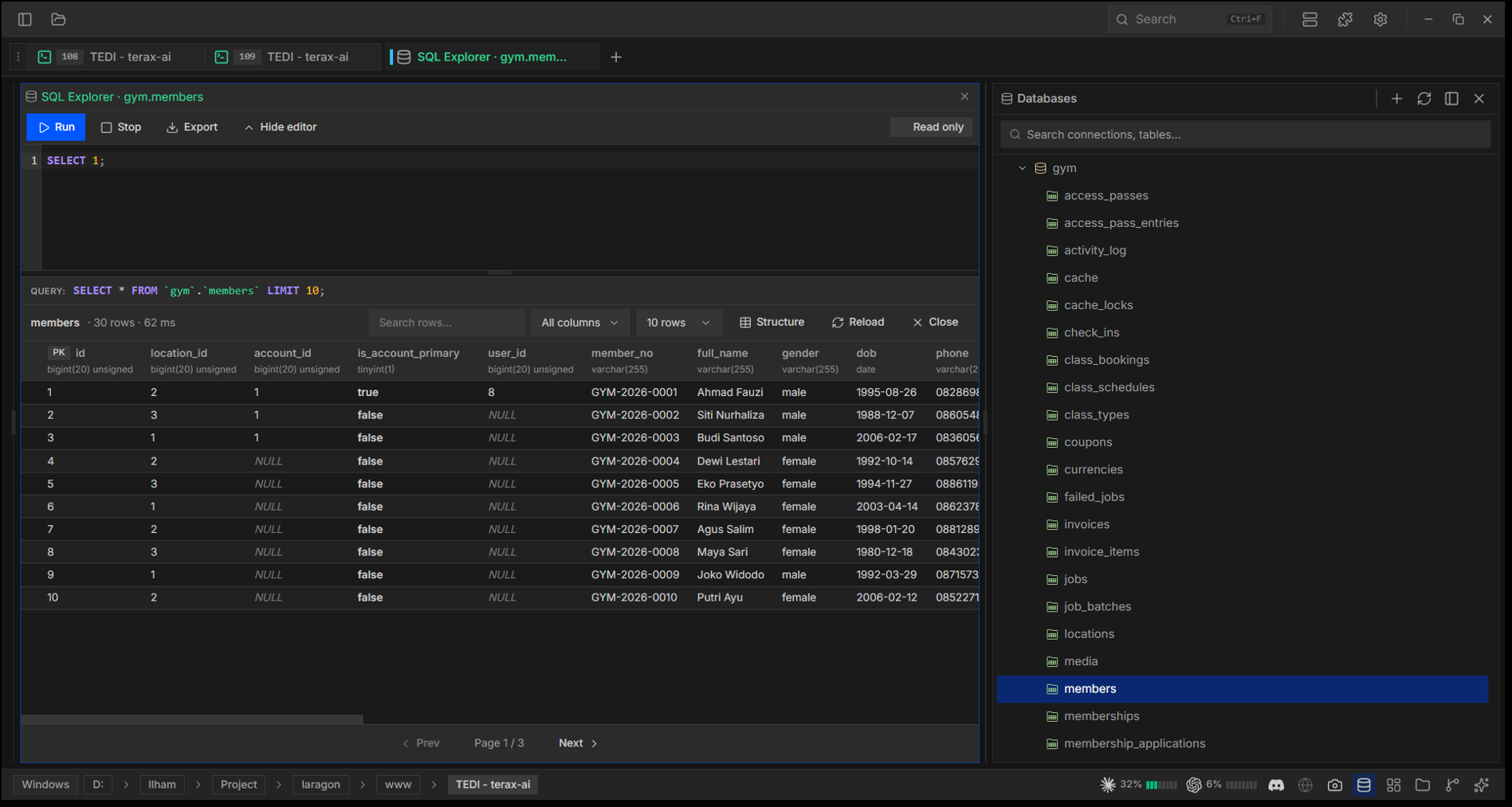
| 3 | SQL explorer (extension) | Browse and query databases from a dedicated panel. Ships as an extension (feature 8), so it installs and updates at runtime. |
| 4 | Code editor | CodeMirror 6 for TS/JS, Rust, Python, PHP, HTML/CSS, JSON, Markdown, C/C++, Java, C#, SQL, and more, with inline AI autocomplete, diff view, Vim mode, and Markdown/image preview. |
| 5 | AI-native agent | Bring-your-own-key agent across ten providers (OpenAI, Anthropic, Google, xAI, Cerebras, Groq, DeepSeek, SumoPod) and local models via LM Studio or any OpenAI-compatible server (Ollama, llama.cpp, vLLM). Plan mode, skills, MCP, ten sub-agents, voice input, project memory via TEDI.md, and tools gated by approval. |
| 6 | AI browser control | A real in-app browser (native webview) the agent drives end to end: navigate, read, type, click, scroll, screenshot the tab to see it, and read its console errors to find out why your page broke. |
| 7 | Workspaces | Each workspace keeps its own project session (tab layout + working dirs) and switches instantly. The header folder picker spawns a terminal rooted there. |
| 8 | Source control + extensions | Inline Git diff / SCM pane, and a first-class extension system: install from a .zip or GitHub release to add settings, AI tools, commands, keybindings, panels, and status / header / sidebar items. |
Everything is fully themeable (presets, custom colors, transparency) while staying lightweight.
Install
Pre-built binaries: Releases (Windows, macOS, Linux .deb / .rpm / .AppImage). Download for your OS and install; TEDI auto-checks for updates.
Screenshots
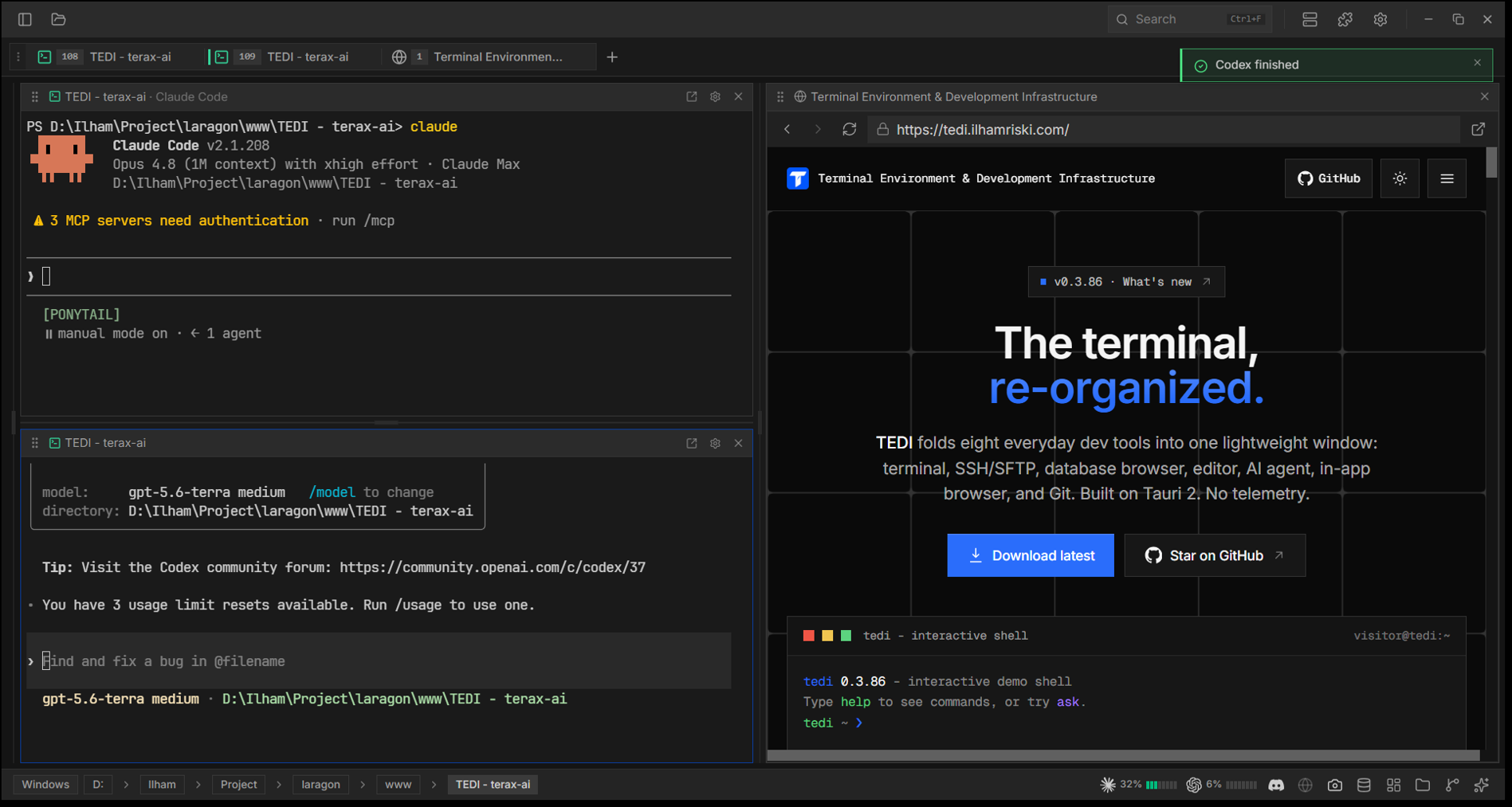
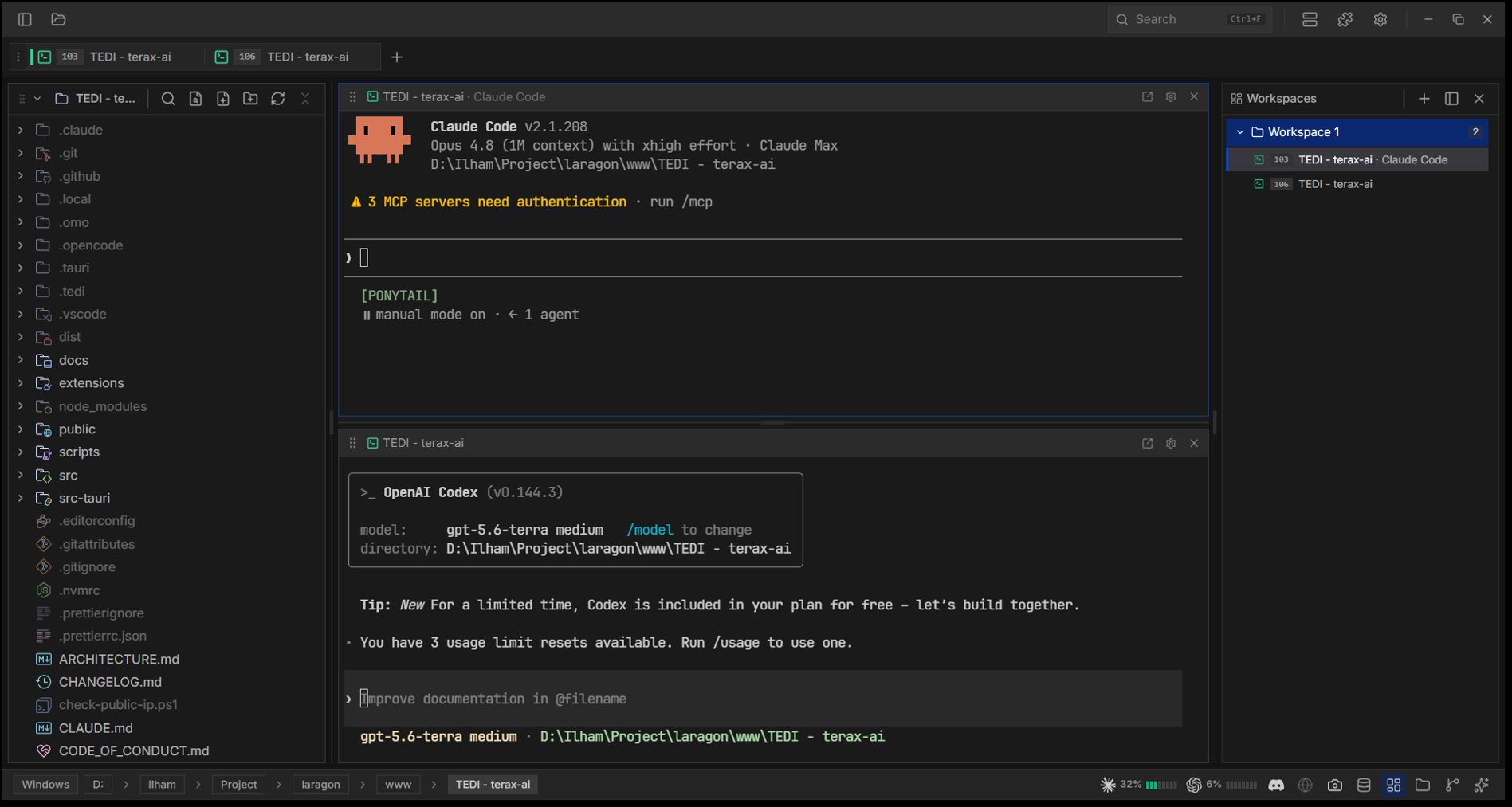
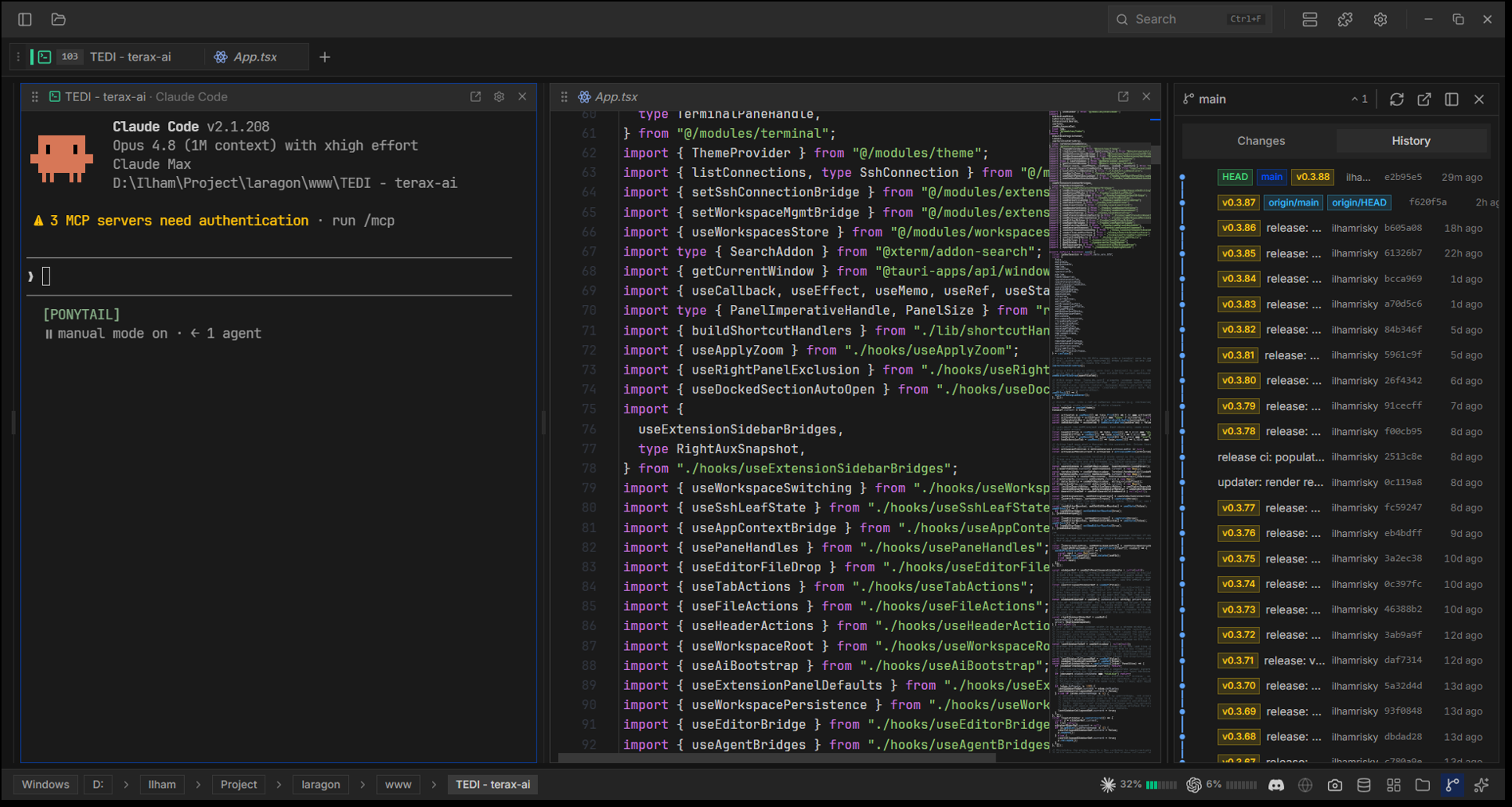
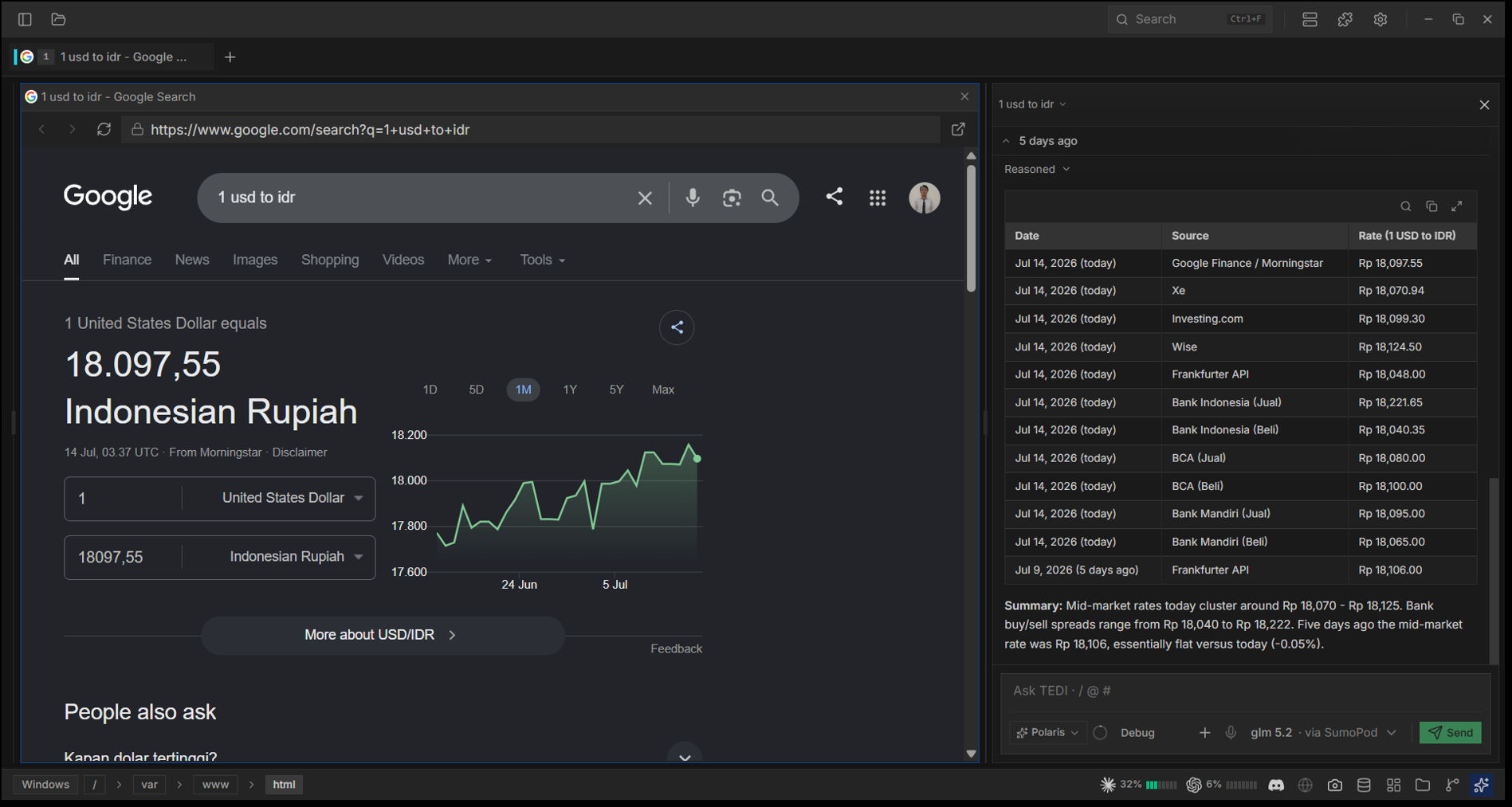
Configure AI
Settings → AI, pick a provider and paste your API key. Keys go to the OS keychain via keyring, never to disk or localStorage. Full list: PROVIDERS in src/modules/ai/config.ts.
Running fully local? Two routes, both keyless:
- LM Studio is its own provider. Start its server and point TEDI at it (default
http://localhost:1234/v1). - OpenAI Compatible takes any server that speaks the API, and you can add several at once. Presets ship for Ollama (
:11434), llama.cpp (:8080), vLLM (:8000), plus OpenRouter and 9Router. Alocalhost/127.0.0.1endpoint needs no API key; leave the field blank.
The same providers back inline autocomplete (Settings → AI → Autocomplete), so ghost text works on a cloud key or entirely offline. Set the model id yourself when your server names models its own way (qwen2.5-coder:7b, a GGUF filename).
Extensions
TEDI ships no extensions in the binary; every one (including the SQL explorer) installs at runtime. Re-installing the same manifest.id replaces the old copy, so the same path handles updates.
Settings → Extensions → From file       (pick a local .zip)
Settings → Extensions → From GitHub     (paste owner/repo)
Settings → Extensions → Check updates   (re-check releases/latest)
Per-extension icon, namespaced settings/secrets/storage, and a permission-gated host API. Authoring guide: extensions/README.md. Reference extension: Discord Rich Presence.
CLI
tedi [PATH]          # open a folder or file in TEDI
tedi .               # open the current directory
tedi ext <subcmd>    # manage extensions headlessly (install / list / update / ...)
tedi theme <subcmd>  # manage themes from the terminal
tedi --help | --version | --update
If TEDI is already running, the request forwards to the existing window (no second instance). On macOS / Linux AppImage the tedi command is not on PATH by default: Settings → General → "Install tedi command in PATH" creates a shim at ~/.local/bin/tedi. Windows' installer handles this.
Architecture
A Tauri 2 app: a React 19 webview (src/) talks to a Rust backend (src-tauri/) via invoke() and streaming Channels. See ARCHITECTURE.md for a one-page map, then TEDI.md for the per-module reference.
Build from source
Prereqs: Rust stable (rustup), Node 20.19+ / 22.12+ with pnpm, and Tauri's platform prereqs.
pnpm install
pnpm tauri:dev     # dev (isolated data dir)
pnpm tauri build   # production bundle
Pre-PR checks (full list in CONTRIBUTING.md):
pnpm exec tsc --noEmit && pnpm lint:imports && pnpm format:check
cd src-tauri && cargo clippy && cargo fmt
Notes per platform
- Windows: SmartScreen warns on first launch (unsigned); click More info > Run anyway. Shell priority:
pwsh.exe,powershell.exe,cmd.exe. - Linux: on
EGL_BAD_PARAMETERor a blank window, setWEBKIT_DISABLE_DMABUF_RENDERER=1. AppImage needs FUSE (else--appimage-extract-and-run, or use the.deb/.rpm). - macOS: minimum 10.15. Unsigned builds may trip Gatekeeper; drag to
/Applications, runxattr -cr /Applications/TEDI.apponce, then open from Finder.
Credits
TEDI is a fork of crynta/terax-ai@v0.5.9 by Crynta. The Tauri/Rust backend, the xterm.js terminal, the CodeMirror editor, and the AI agent pipeline are the work of Crynta and the Terax contributors. Same Apache-2.0 license; if TEDI is useful, please star upstream Terax.
License
Apache-2.0. See LICENSE and NOTICE for required attribution.